Senin, 13 Juli 2020

Distance Learning

DISTANCE LEARNING
Distance education has become the popular to describe learning via telecommunication. In this chapter the term communications embraces a wide variety of media configuration, including radio, telephone and television (broadcast, cable, and satellite). What they all have in common is implied in the Greek root word tele which means “at a distance“ or “a far of” that is they are system for communicating over or distance.


Elementary Education
At the elementary school, teachers tend to use pre-recorded video cassettes more often than live broadcast television programs. Still, several broadcast series are frequently used: at the elementary level, Sesame Street and Barney; at the intermediate, reading, rainbow, big comfy, Arthur, and zoom. These programs are used mainly as enrichment rather than as the core of instruction. Teachers who use educational televisions programming tend to used more than one program usually two or three but not a whole series ( Children’s Television Workshop 1990)


Secondary Education

At the secondary school, television is used mainly to expand the curricular offering of specific high school. Rural school are thus able to offer a full core curriculum. In advanced or specialized subject foe which there are not enough students in one school to justify hiring a teacher schools administration frequently use televisions to connect several school, thus creating a large enough “class” to be affordable.

Post-secondary Education
At the post-secondary education, telecommunication systems are used extensively for both on campus education. Hundreds and community colleges , technical school, colleges, and universities in North America use telecommunication as part of their regular instructional programs. The purpose generally is to expand the number of students who can be reached by one instructor in a given source.

INSTRUCTIONAL COMMUNICATION FUNCTIONS
Regardless of the technology used, from lived teacher to computer conferencing an instructional telecommunications system must perform certain function to be effective.
  • Broadcast Radio

When we listen to radio, we hear electronic signal that are broadcast or transmitted through the air over regular AM and FM Radio frequencies. Broadcast radio can be adapted to educational use. Although such radio is basically a format for one way lectures or dramatic presentations, some degree of interactivity can be added by using printed materials to accompany the programs and requiring listeners to send responses back to originator. Some programs provide a telephone number for the student to contact the instructor.

Advantages :
Cost . Radio is a less expensive broadcast medium than is television. It is still used in developing countries and in other localities where there are geographic or economic constrains on the technologies they can employ.

Range. Radio programs can reach and larger geographically dispersed population with single message.

➢Imagination stimulator. Because radio is an audio only medium, listeners are free to use their imaginations to create the image.

Flexibility. The audio medium is extremely flexible and can have a powerful, dramatic effect, particularly, for conveying music, discussion, and story telling. Limitations

Operating expense. It is difficult to justify the expense of operating broadcast facilities when pre-recorded materials are readily available.

Schedule. Broadcast radio is being displaced by pre-recorder material. Instructors and student resist using media that must be according to a rigid schedule.
Integrations :
Radio was the first telecommunication system adapted to educational purpose in North America. Much of early technical experiment with radio broadcasting was carried out at stations operated by colleges and universities.

  • Audio Conference
The audio conference is an extension of a simple telephone call. Advances in telephone technology phone now allow individuals or groups of people at two or more locations to hear and be heard clearly and easily.
Advantages :

Cost effective. The audio teleconference is often seen as a cost-effective way to hold a meeting or training session without the expense of time and money involved in travel. School invite an expert “into the classroom” to engage in a dialogue with students .

Easy to use. It is the most easily accessible form of telecommunication because is uses standard telephone service. Commercial phone companies have made is easy to set up audio teleconference from any touch tone phone.

➢Interactive. All participant get the same interactivity. They can talk to the instructor a guest speaker or the other participant.
Limitations :
➢Lack of visual information. The lack of visual dimensional proses limitations. This can be offset by arranging to have material in the sites in advance.

Poor audio. To have acceptable audio quality, each receiving site needs to have special microphone amplifier advice.

Intimidating. Lack of experience with this type of communication technology may make some learners less willing to participate.
Integrations :
This system is frequently used at the secondary and postsecondary levels to connect students at two or more sites with an author to discuss current legislations. It has been used heavily in Alaska to bring inservice training to teacher. Audio teleconferencing is popular in corporate and corporate and professional education for training to discuss the features of a new service, to teach representative the latest selling technique to update accountants on change in the tax laws and so on.

  • Audio Graphic Teleconference
An audio graphic teleconference adds still-pictures transmission to an audio teleconference. Several different devices can be used to send pictures graphic over the same telephone lines as the voice signal: slow-scan (single scan)analog video, facsimile(fax) paper copies, or an electronic graphic tablet. The common denominator in these devices is a method of covering the image digital form for transmission.
Advantages :
Visual. The big advantage of audio graphic systems over other audio formats is the addition of the visual element.

Cost. Unless full-motion images are needed, audio graphics can be provide and audio visual experience at a fraction of the cost of television.
Limitations :
Availability. Audio graphic technologies are not readily available.

Time factor. It can take nearly a full minute to transmit a still image via fax or slow scan technologies.
Integrations :
Many school and colleges use audio graphic teleconferencing to connect students in a number of isolated locales with a teacher. This is especially the case in rural areas where may not enough students in one school to justify hiring a teacher for a particular subject, it is a required subject.

  • Television in Distance Learning
➤One-Way Video, One-Way Audio

Of all the uses of television in education, the viewing of pre-recorded video cassettes and videodiscs is the most common. Here we will consider the next most common form of television use live viewing of programs without direct feedback to the presenter.

➤Two-way video, Two-way Audio
Fully interactive television with two way communication of both audio and video, or two way television is achieved by equipping both the sending and receiving sites with camera and microphone and interconnecting them by some means capable of two way transmission. This may be fiber optics, cable, microwave, satellite, or a combination of these. A school or other organization may operate its own video teleconference facilities or lease them as needed for specific occasions.


Online Technologies
Online technologies (those that rely on computer based systems) have opened up a new array of distance learning opportunities. Where once students had to drive a short distance to attend a class conveyed by a video or audio connection, computer-based system let them remain in learning activities. Software programs, cameras, and array of resources can give students distance learning. Students can attend class at designated time, can participate, in an audio, video, or text-based chat, can post to bulletin board discussion and can access information. It is possible for a mixture of distance learning technologies to take advantage of the contributions of each type of technology.


Distance Learning Issues

  • Role of Students
Student need to know their roles in a distance learning experience. Early attempt at this type of instruction tended to involved a” talking head” with student passively sitting in the distance sites, often not attending to the “head”. More recently, with technological advances, interaction among students and between sites is feasible. Student can be become more engaged in their learning. It remains the teacher responsibility, however to guide students on how on interact appropriately.

  • Role of teacher
When we begin to talk about the teacher in the distance learning classroom, it is necessary to think about the setting in a new light. The classroom is now a series of “rooms” connected electrically. The origination classroom is the one where the teacher is present. Distance sites or remote classrooms are the location connected by the telecommunication systems. At the distance sites, they may be only one or two students or there may be a full class. Additionally there may be a distance site facilitator, an adult whose responsibility it is to work with the teacher. The facilitator may be another teacher or a classroom aide. The duties of a facilitator vary depending on the course content and the origination classroom teacher’s needs.
  • Visualizing instruction
With technologies for distance learning that rely on television, the teacher may need to change existing teaching materials. The document camera is a valuable teaching tool for showing student visuals and for demonstrating specifics task. Although teacher may be able to use classroom materials such as overhead transparencies, these materials tend to be in a format not easily visible on the monitors. Television has a horizontal or landscape orientations, which mean that materials prepare in a vertical orientation will not be as easily seen. It may be necessary to redo materials. One suggestion is to have all classroom materials prepared so they can be used in either a regular or a television classroom setting.
  • Accessing resource at a distance
One element often overlooked in a distance learning situation is the access students have to resource materials. The amount of available information resources is expanding at an exponential rate.
Advantages :
Cost efficiency. All forms of broadcasting share the attribute of teaching geographically dispersed audiences in a cost-efficiency way.
Audio visual capacity. All television system allow a transmission of motion images and sound image distance.
Two way possibilities. When learner can communicate with the instructor and other student via telephone or two way video, you can approximate a live classroom interactions.
Online possibilities. When available, online technologies can provide access to resource an two interaction that might not be otherwise possible.
Limitations :
Cost for two way . Adding or capacity for two communication may require costly hardware installation, including a bridge if multiple sites are connected at once. If using telephone, there may be toll charge for the call.
Facilities for two way. The special setups needed for two way video require that a classroom be dedicated to this used, thus making it difficult to use the rooms for other purpose.

Technical problem. Technical problem may interrupt the instructions and may create confusion and frustration for the instructor and students .
Isolation. learners to participate in broadcasting lessons without talkback capabilities can feel like second class citizen having little rapport with the rest of the group.
➢Inexperience. Instructors may not feel comfortable teaching in this type of setting.
➢Reluctance. Students may be reluctance to assume greater responsibility for their own learning.
Connectivity. Students may have difficulty making certain types of online connections due to their type of access to the internet.
Integration :
Commercial and noncommercial stations are providing programming for use in educational setting. In fact, one quarter of the program used by teacher in school originate from commercial stations. These include drama, dance, and music performances, documentaries and news and publics affairs programs. Popular television programs can also be used to spark discussions of social issues.

Source : Heinich, R., Molenda, M., Russell, J, D.,& Smaldino, S, E,..2002. Instructional Media and Technologies For Learning volume 7. California : The University of California.

Sabtu, 27 Juni 2020

INTERNET & INTRANETS

Internet
The internet is a frequently changing collection of millions of computer networks serving tents of millions of people around the world. Any individual on the internet can communicate with anyone else on the internet.

  • Internet services

It provides users with several basic types of  connection services:
1. Electronic mail (e-mail) for person-to-person communication.
2. A type of electronic, public bulletin board enabling a person to connect with a group interested in the same topic.
3. Information search capabilities for accessing libraries and databases of information throughout the world.
4. Access to highly specialized computer programs not readily available to individuals
5. "Live" communication.
6. Audio communication.
7. Video-based communication.

  • Internet addresses

An internet address contains three parts: the person's name or username (pseudonym), the computer network where they can be reached, and the type of organization they are a part of.

  • Internet usage

Internet users can communicate with one another by participating in discussion groups, of which there are two types: newsgroups (sometimes called' chat groups or conferences) and mailing list (also called listservs). Both newsgroups and mailing lists are typically dedicated to a single subjects, and allow you to read comments, questions, and answers of others on the same subjects and to post comments, questions,and answers of your own.

  • Internet language

The internet has acquired its own vocabulary of hundreds of terms.

World Wide Web: Access To The Internet
The World Wide Web (the Web) is not separate from the internet.The web protocol, called hypertext transfer protocol (HTTP), ensures compatibility before transferring information. The web is comprised of documents called web pages. Each access a website by entering its called a website. User access a website by entering its address or uniform resource locator (URL).

  • Advantages

1. Variety of media.
2. Up-to-date information access.
3. Navigation.
4. Idea exchange.
5. Convenient.
6. Low cost.

  • Limitations

1. Age-inappropriate material.
2. Copyright.
3. Unprecedented.
4. Support.
5. Access.
6. Access sped.
7. Lack of quality control.

  • Integration

Computer networks, especially the internet, can serve a number of functions. Students and teachers can access services and information such as documents, government information, databases, online bibliographies, articles, publications, and computer software.

Intranet
Intranets are internal networks for companies or schools. Intranets are a way of increasing communication, collaboration, and information dissemination within companies or schools where divisions, departments, and work groups each use a different computer platform (hardware and / or operating system), or where users work in geographically distant locations. User access the intranet either directly or by dialing into the network.

  • Advantages

1. Centralization.
2. Consistency.
3. Currency.
4. Pull versus push approach.

  • Limitations

1. Unreliable remote connections.
2. Speed of responses.

  • Integration

Intranets are very useful for training when the audience is large and geographically dispersed and when the instruction is update frequently (see"Close-up:Deere & Company Delivers Training Over Its Internet").

Wide Area Network (WAN)
Computer networks that extend beyond the walls of a room or building are called wide area networks (WANs). A WAN connects a number of computers within a single institution and beyond with one another.
Wide area networking via a computer and modern is done from locations throughout the world. People accessing networks use an array of tools, including e-mail, bulletin boards systems, and information resources, such as databases and libraries.

Local Area Network (LAN)
A local area network (LAN) connects computers within a limited area, normally a building, office, or laboratory.
 A LAN  relies on a centralized computer called a file server that "serves". A computer lab is often a LAN because all the computers in the lab are connected to a single file server, which is usually tucked away in a closer or other out of-the-way space.

  • Advantages

The advantages of local area networks include ease of communication. A LAN allows people to communicate with each other by leaving messages o the network system. Also, more people have access to software and information.

  • Limitations

1. It is expensive to establish a building wide network.
2. A computer lab may limit access.
3. Another limitation is the requirement that schools or offices purchase special network-compatible software.

  • Integration

One primary educational application of a LAN is in a computer lab, with 15 to 20 computers connected together. When a teacher wants each students to be working on a computer during a lesson, the lab makes it possible for the whole class to have access to computers simultaneously.

Source : Heinich, R., Molenda, M., Russell, J, D.,& Smaldino, S, E,..2002. Instructional Media and Technologies For Learning volume 7. California : The University of California.

Sabtu, 20 Juni 2020

MULTIMEDIA

Multimedia Kits
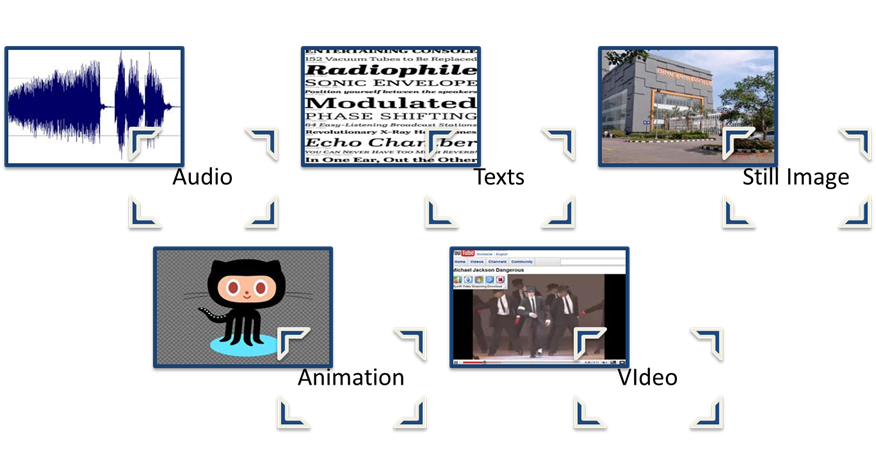
A multimedia kits is a collection of teaching/learning materials involving more than one type of medium and organized around a single topic. Kits may include CD-ROMs, filmstrips, slides, audiotapes, videotapes, still pictures, study prints, overhead transparencies, maps, worksheets, charts, graphs, booklets, real objects, and models. 
Teachers or media specialists can also prepare multimedia kits. The main purpose of a kit is to give learners a chance at firsthand learning-to touch, to observe, to experiment, to wonder, to decide.

  • Advantages
1. Interest ➨ Multimedia kits arouse interest because they are multisensory.
2. Cooperation➨ Kits can be an ideal mechanism for stimulating small-group project work.
3. Logistics➨ Kits have an obvious logistical advantage.

  • Limitations
1. Expense➨ Learning with multimedia kits can be more expensive than with other, more conventional, methods.
2. Time consuming➨ It can be time consuming to produce and maintain the materials.
3. Replacement➨ Lost components can make the kit frustrating to use.

  • Integration
Multimedia kits are particularly well suited to content for which discovery learning is preferred.

Contoh Multimedia Kits


Hypermedia
Hypermedia refers to computer software that uses elements of text, graphics, video, and audio connected in such a way that users can easily move within the information. Users choose the pathway that is unique to their own style of thinking and processing information. According to its very nature, it provides a learning environment that is interactive and exploratory. Computer hypermedia systems can be used for several different purposes : Browsing, Linking, and Authoring.

  • Advantages 
1. Engrossing
2. Multisensory
3. Connections
4. Individualized
5. Teacher and student creation

  • Limitations
1. Getting lost
2. Lack of structure
3. Non-interactive
4. Complex
5. Time consuming

  • Integration
Hypermedia can be developed and used on the computers that are commonly found in schools. They are applied in all areas of the curriculum, for any learning goals that are suited to individual  or small-group exploration of a body of information. Hypermedia programs are available as off-the-shelf courseware; teachers can create them to fit unique local needs, or students can create them as a way of organizing and synthesizing their research on a topic of interest. 

Contoh Hypermedia


Interactive Media
Computer-based interactive media creates a multimedia learning environment that capitalizes on the features of both video and computer-assisted instruction. It is an instructional delivery system in which recorded visuals, sound, and video materials are presented under computer control to viewers who not only see and hear the pictures and sounds but also make active responses, with those responses affecting the pace and sequence of the presentation.

  • Advantages

1. Multiple
2. Learner participation
3. Individualization
4. Flexibility
5. Simulations

  • Limitations

1. Cost
2. Production expense
3. Rigidity

  • Integrations

Interactive media is a valuable learning system for tasks that must be shown rather than simply told. some instruction cannot be adequately presented by printed materials. If learners need to interact with the instruction, interactive media is an appropriate choice.

Contoh Interactive Media


Virtual Reality 
Virtual reality is one of the newest multimedia applications of computer-generated three-dimensional environment where the user can operate as an active participant. the user wears a special headpiece that contains a three-dimensional liquid crystal video display and headphones. The user participates within the three-dimensional world by manipulating a joystick or a special glove worn on one hand. The data glove may be used to point, handle, and move objects and to direct the user's movements within the virtual world.

  • Advantages

1. Safety
2. Expansive
3. Opportunities to explore

  • Limitations

1. Cost
2. Complexity
3. Limited titles

  • Integration

Computer-controlled environments allow users to experience multisensory immersion and to interact with certain phenomena as they would in the physical world. Several applications of virtual reality have been demonstrated to be highly effective.
Contoh Virtual Reality

Source : Heinich, R., Molenda, M., Russell, J, D.,& Smaldino, S, E,..2002. Instructional Media and Technologies For Learning volume 7. California : The University of California.

Sabtu, 13 Juni 2020

Computers

Roles of Computers in Learning
The potential uses of computers in educational settings go far beyond direct instruction. One function is administrative-keeping school records, scheduling classes, doing payroll, and managing student assessment data. Another is service oriented, as when guidance programs use computers to deliver career planning assistance. In the domain of instruction there are four broad classes of computer applications:

  • As an object of instruction
The computer may itself be the object of instruction. In this role, the computer is treated like any other machine one is learning to use.

  • As a tool
In its role as a tool, the computer assists both teachers and students. 

  • As an instructional device
Computer-assisted instruction (CAI) helps students learn specific skills.

  • As a means of teaching logical thinking
Using LOGO, a procedural language that was designed for learners, students can learn about the complexity of mathematics within their daily lives.

Integrating Computers into the Curriculum
The ultimate value of technology in education and training depends on how fully they are integrated into the curriculum. Instructions need a framework for using computer technology that covers a variety of learning styles and accommodates varied teaching methods. Most important, results need to be measureable againts a clear set of goals and objectives-the second step in the ASSURE model. In classrooms where computer technology is integrated successfully, students use it with the same ease with which they use books, maps, pencils, and pens. In technology-rich classrooms students and teachers engage in problem solving, cultivate creativity, collaborate globally, and discover the value of lifelong learning.

Integrated Learning System
In many schools a viable form of computer use is the integrated learning system (ILS), referring to a networked set of computer workstations equipped with software that provides a particular set of sequential lessons. Students work through these lessons as prescribed by the built in management system, which tracks individual student progress.

  • Advantages :
1. Self-pacing
2. Total package
3. Validated

  • Limitations :
1. Courseware quality
2. Evidence of effectiveness
3. Loss of flexibility
4. Reports
5. Curricular integration

  • Integration :
The integrated learning system (ILS) lessons are one component of an overall school program that combines team teaching, thematic units, student and parent involvement in goal setting, and customization to the prescriptions of the local teaching staff.

Software Selection
There are several factors associated with selecting software. Foremost is to examine the software within the content of the learning outcomes. Other factors that should be considered include content, format, ease of operation, design, and completeness of the package.

  • Accuracy
When looking at software, you need to consider the content in terms of its accuracy. Its important to consider the sequencing of the information.

  • Feedback
Its important that software follow sound educational techniques and principles. In a drill and practice program its important that students have frequent informative feedback.

  • Learner Control
Another important criterion is the amount of learner control given the student. Software should provide students with opportunities to select topics within areas of study. Also, students need to be able to control how quickly they progress through material.

  • Prerequisites
Prerequisite skills need to be identified if they are essential for successful use of the software. Information needs to be presented at a level appropriate for students.

  • Ease of Use
Ease of use is a particularly critical attribute in situations where students are working individually or in small groups on different projects, using different software. If you must continually be interrupted to help students cope with obstacles in using difficult software, then both you and your students become frustrated.

  • Special Features
Sometimes software has special effects or features that may be essential for effective learning. Color, graphics, animation, and sound should be a part of quality software only if they contribute to student learning. 

Computer Hardware

  • Basic Components

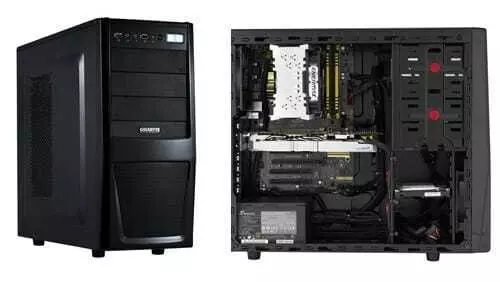
The physical equipment that makes up the computer is referred to as the hardware. A computer's specific combination of hardware components is referred to as its configuration.


  • Input Device

Input devices transmit information into the computer. The most commonly used input device is the keyboard. Others include mouse, trackballs, joysticks, graphics tablets, and even voice.


  • Central Processing Unit

The central processing unit (CPU) is the core element, or "brain" that carries out all the calculations and controls the total system. In a personal computer the CPU is one (or more) of the tiny chips (microprocessors) inside the machine.


  • Memory

The memory contains the control function-that is, the programs written to tell the CPU what to do in what order. In computers, control instructions and sets of data are stored in two types of memory.
- Read-only memory (ROM)➱ This consists of the control instructions that have been "wired"permanently, into the memory and which the computer will need constantly, such as programming languages and internal monitoring functions.
- Random access memory (RAM)➱ The particular program or set of data being manipulated by the user is temporarily stored in RAM, then erased to make way for the next program.


  • Storage

The most common storage mechanism is the magnetic disk. Recordable CD-ROMs are becoming common. Storage capacity (measured in Mb or Gb) has expanded to keep pace with the rapidly growing memory demands of today's software and the ever-increasing size of graphics and animation laden multimedia data files.


  • Output Device

Output devices display the results of your program. A television-type monitor, referred to as a CRT (cathode ray tube), is the usual output device of a personal computer. Liquid-crystal (LCD) and other display types are becoming common. It may be built into the total package, or it may be a separate component.


Computer Facilities
There are a variety of facilities for computer use. They range from the computer classroom (one or more computers in a single classroom) to the computer laboratory.

  • The One-Computer Classroom

The one-computer classroom, then, can be viewed as a place where you may use the computer in many ways :

  1. Large group ➨ With a data projector you can demonstrate to a whole class how to use a particular software program or how to manage a particular set of data.
  2. Small group ➨ A small group of students can work together with the computer. Students can interact with a program in groups, then return to their seats, allowing others to have some time on the computer. Each group has a turn using the software to gather or present data.
  3. Learning center ➨ Individual students or small groups can go to a learning center that has at its core a computer. Integrating a specific software program into the center, you create another type of interactive learning center.
  4. Personal secretary ➨ Every teacher is responsible for maintaining grades, communicating with parents, and preparing instructional materials. The computer can assist you with these types of tasks.
  • The Multiple-Computer Classroom
A computer classroom is useful when the teacher wants to present to all students simultaneously. The teacher should have a projection device to display information for all students on one screen. In some networks the teacher can control and monitor what is shown on each student computer.
  • The Computer Laboratory
Schools often place 15 to 20 computers together in a single room called a computer laboratory. The computer laboratory is appropriate if you want students to be working independently or in small groups on different programs and different activities.
There are advantages to using a computer lab. A group of students can be taught the same lesson simultaneously, which might be more efficient for the teacher. Also, software can be located in one place conveniently. Supervision and security are often easier when all the computers are located in a single room.
The foremost limitation with the computer lab as access. If there are no other computers available to students outside the computer lab, then students may have a problem. If a class is scheduled to use the lab, students will have to wait until the lab is not scheduled to use the facilities. Also, because of the schedulling problem, some classes may not have access to the lab at all.

Source : Heinich, Molenda, Russell, Smaldino et. All. 2002. Instructional Media and Technologies for Learning Volume 7. California : The University of California.
Senin, 25 Mei 2020

VIDEO

Video Formats

  • Videotape
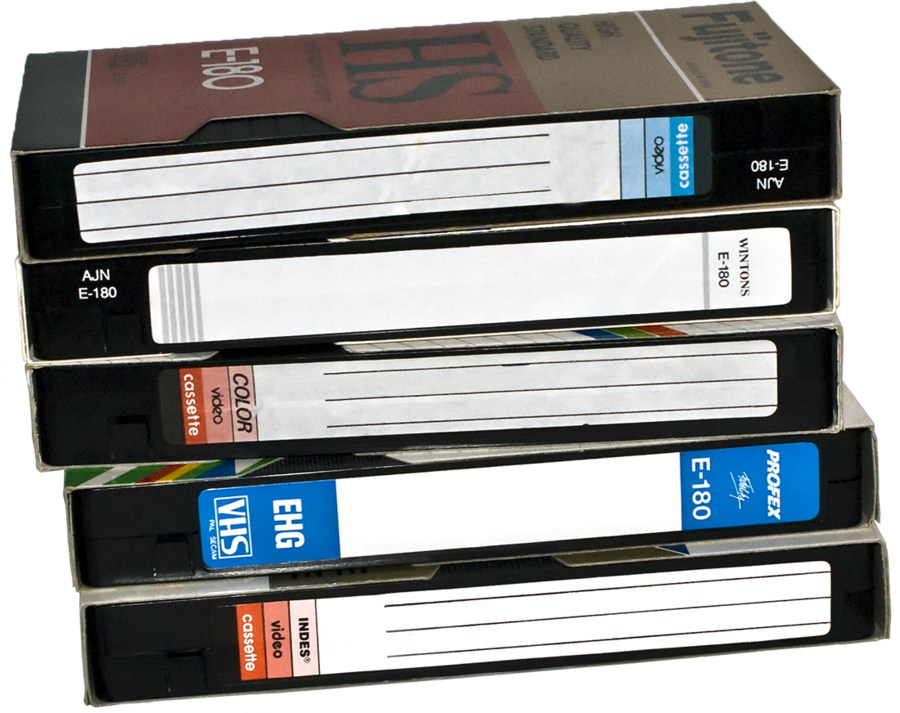
The VHS 1/2-inch format is a preferred medium for commercial distribution of moving images. VHS is also the current preferred format for amateur and nonstudio production of recorded moving images in education.


  • DVD
DVD (digital videodisc) is a medium offering digital storage and playback of full-motion video. There is no distortion when you watch a DVD in slow motion. DVD discs provide far superior sound and picture quality compared to a standard VHS videotape. Unlike videotape, DVD discs don't deteriorate over time. They are doing for movies (films and videotapes) what the CD did for music.


  • Videodisc
Videodisc images have a horizontal resolution of 350 lines, compared with 240 lines for a videocassette. Also, the audio quality of videodisc is significantly better than that of videotape. Several educationally valuable features of videodisc are not available with videotape. Videodisc images can be "stepped through" frame-by-frame, can be "scanned" (fast forward), or played at various speeds in both forward and reverse. In addition, videodisc have two audio tracks, for either separate narrations or stereo sound.


  • Internet Video
Video also can be delivered via the internet, usually using streaming video. The video content is actually downloading to the user's computer in a series of small information packets that arrive shortly before the viewer sees (or hears) the material. Any video (or audio) materials can be delivered over the internet using the streaming technique. The content is not stored in your computer. It "flows" into your active memory, is displayed (or played), and is then erased.


Special Attributes Of Video

  • Manipulation Of Time

- Compression of Time ⇒ Video can compress the time it takes to observe an event.
- Expansion of Time ⇒ Time can also be expanded in motion through a technique called slow motion.

  • Manipulation of Space

Motion media permit us to view phenomena in microcosm and macrocosm-that is, at extremely close range or from a vast distance.

  • Animation

Time and space can also be manipulated by animation. This is a technique in which the producer takes advantage of persistence of vision to give motion to otherwise inanimate objects. There are various and more or less sophisticated techniques for achieving animation, but basically animation is made up of a series of photographs or drawings of small displacements of objects or images.

Advantages

  1. Motion
  2. Processes
  3. Risk-free observation
  4. Cultural understanding
  5. Establishing commonality
  6. Dramatization
  7. Skill learning
  8. Affective learning
  9. Problem solving
Limitations
  1. Fixed pace
  2. Talking head
  3. Still phenomena
  4. Misinterpretation
  5. Abstract, nonvisual instruction
  6. Logistics
Integration
Educational Applications

  • Cognitive Skills
In the cognitive domain, learners can observe dramatic recreations of historical events and actual recordings of more recent events.

  • Demonstrations
Demonstrations of motor skills can be more easily seen through media than in real life.

  • Virtual Field Trip
Videos can take students to places they might not be able to go otherwise. We can go to these places and many others on video.

  • Documentary
Video is the primary medium for documenting actual events and bringing them into the classroom.

  • Dramatization
Video has the power to hold your students spellbound as a human drama unfolds before their eyes.

  • Discussion Basis
By viewing a video program together, a diverse group of learners can build a common base of experience as a catalyst for discussion.

  • Attitude Development
Most educational presentations target recipients' cognitive or psychomotor domains of learning. Attitudes can be influenced by role models and dramatic messages on video. Because of its great potential for emotional impact, video can be useful in shaping personal and social attitudes.

  • Reports and Portfolios
Students can use excerpts from videos as a part of oral reports, turning the sound off and using their own narration. Student portfolios with a multimedia approach are being used instead of word processed term papers.

  • Classroom Access
Equipment and materials don't have to moved around the school. Because of these distribution of systems and the ability to receive and record educational and news cable channels, and the growing availability of streaming video delivery directly over the Internet, the classroom of the future will have access to a variety of instructional video materials within the school.

Selecting Video

  • Locating Materials
Programs guides and directories can help keep you abreast of available materials in your areas of interest and guide you toward selection of materials best suited to your particular teaching needs. Librarians, media specialists, and teachers working as partners should communicate constantly concerning the resources needed for instruction.

  • Appraising Videos
After you have located some potentially useful videos, you will want to preview and appraise them. A good appraisal form will be brief enough not to be intimidating but complete enough to help individuals choose materials that may be useful for current and future applications.

  • Sponsored Videos
Private companies, associations, and government agencies sponsor videos for a variety of reasons. Private companies may make them to promote their products or to enhance their public image. Associations and government agencies sponsor videos to promote causes, such as better health habits, conversation of natural resources, and proper use of park and recreation areas.

Producing Video
It allows video production to be taken into the field, wherever that might be : the science laboratory, the classroom, the counselling office, the athletic field, the factory assembly line, the hospital, the neighborhood, and even the home. Equally important, the simplicity of the system has made it feasible for nonprofessionals, instructors, and students alike to create their own video materials. 

  • Analog Video Production

Video production requires a camera, a recorder, a microphone, and perhaps editing equipment. Most cameras are of the viewfinder type.

  • Digital Video Editing

Digital video editing refers to the means by which video can be taken apart and put back together non-linearly using a computer and associated software. Digital video camcorders are smaller than analog video cameras and can record up to 90 minutes in the long play mode. With digital video there are usually no videotapes. Most camcorders record on a standard 3.5-inch floppy disc. Some camcorders use an ultra-miniature 2.5-inch disc. The ultraminiature discs can record 20 minutes of video.

Utilizing Video

  • Preview The Material

You should always preview video materials for apprasial and selection, and should also check them after they arrive in the classroom.

  • Prepare The Materials

Before a video lesson, review previous related study. Help students see how today's lesson fits into the total picture. Create a need to know. Stimulate curiosity by asking questions, and evoke questions that students would like to have answered on the subject.

  • Prepare The Environment

Before students can learn from any media presentation, they first have to be able to see it and hear it.

  • Prepare The Learners

Research in educational psychology as well as the practical experiences of thousands of teachers in all sorts of settings demonstrate that learning is greatly enhanced when learners are prepared for the coming activity.

  • Provide The Learning Experience

Note individual reactions for possible use in the followup discussion. Deal with individual discipline problems as quickly and unobtrusively as possible.

Require Learner Participation
Learners are quick to detect and act according to your attitude toward the material. Many studies have indicated that the instructor's attitude-often conveyed nonverbally-significantly affects student's learning from media. So if students are expected to be active participants, you should lead by example.

Evaluate And Revise
You can informally assess student learning by observing performance during followup activities. Individual project can be good indicators of successful learning. in many cases, though, more formal testing server a valuable purpose. First, tests that are followed by feedback of correct answers can provide an efficient review and summary of the main points of the lesson. Second, objective tests can help pinpoint gaps that need to be followed up in the classroom, and can identify individualis who need remedial help. In this way, you can complement the media component by catering to individual differences in ways the media cannot. 

Source : Heinich, Molenda, Russell, Smaldino et. All, 2002. Instructional Media and Technologies for learning volume 7. California: The University of California.

Minggu, 12 April 2020

AUDIO

FORMAT-FORMAT AUDIO
Banyak materi yang direkam dan tersedia dalam format audio umum, diantaranya :

  • Audiotapes

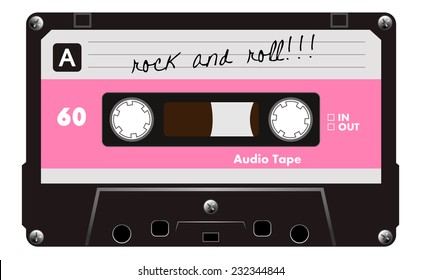
Keuntungan dari audiotape adalah bisa membuat rekaman sendiri dan ekonomis, juga bisa membuat sinyal magnetik pada pita. Perangkat audio yang paling banyak digunakan adalah alat perekam kaset. Kaset diidentifikasi sesuai dengan jumlah waktu recording nya. Untuk cample, casctne C-60 dapat merekam suara 60 menit menggunakan kedua sisi (30 menit tiap sisi), sedangkan C90 dapat merekam 45 menit disetiap sisi.


  • Compact Disc

Secara fisik, Compact Disc (CD) terlihat seperti mal, plat perak. Musik atau suara disimpan sebagai bit informasi. CD carrent berisi musik selama 80 menit. Keuntungan utama CD adalah ketahanannya terhadap kerusakan. Dapat dibersihkan, dan goresan biasa tidak akan mempengaruhi pemutaran. Serta jika ada goresan yang dapat mempengaruhi kualitas sinyal audio, sekarang tersedia mesin untuk memperbaikinya.


  • MP3

MP3 (MPEG Audio Layer 3) adalah format kompresi audio yang membuat file-file audio yang besar tersedia dengan mengecilkannya menjadi file-file yang lebih kecil yang dapat dengan cepat dan mudah ditangkap di internet.


MENGHASILKAN BAHAN PEMBELAJARAN DI KELAS DENGAN AUDIOTAPES

Siswa dan guru dapat dengan mudah menyiapkan kaset mereka sendiri. Siswa dapat menggunakan kaset untuk mengumpulkan sejarah lisan dan menyiapkan laporan buku lisan. Guru dapat menyiapkan kaset untuk digunakan dalam instruksi langsung. Latihan keterampilan, seperti pengucapan bahasa asing, juga dapat disediakan oleh kaset audio.

Perekam tape dapat digunakan untuk merekam informasi yang diperoleh dari kunjungan lapangan. Saat kembali ke ruang kelas, siswa dapat memutar kaset itu untuk diskusi dan tinjauan ulang. Banyak museum, observatorik, dan area pameran publik lainnya yang sekarang menyediakan pengunjung dengan pesan yang direkam sebelumnya tentang berbagai item yang dipajang, yang dapat (dengan izin) direkam ulang untuk pemutaran dikelas. Siswa juga dapat merekam diri mereka sendiri saat membaca, mempresentasikan pidato, menampilkan musik, dan sebagainya. Mereka kemudian dapat mendengarkan rekaman itu secara pribadi atau untuk dikomentari hasilnya oleh guru atau siswa yang lainnya. Upaya awal dapat disimpan untuk perbandingan dengan pertunjukan di kemudian hari dan untuk penguatan pembelajaran.

DUPLICATING DAN EDITING AUDIOTAPES

Ini adalah prosedur yang relatif sederhana untuk menduplikasi rekaman audio yang dapat menggandakan kaset dengan salah satu dari tiga metode : metode akustik, metode elektronik, dan metode duplikator kecepatan tinggi. Metode akustik tidak memerlukan peralatan khusus, hanya dua perekam. Satu perekam memutar kaset asli, dan suara ditransfer melalui mikrofon ke kaset kosong di perekam lain. Keuntungan utama rekaman video adalah kemudahannya disiapkan oleh guru dan peserta didik.

MEMILIH BAHAN AUDIO

Sebelum memilih bahan audio, anda harus menganalisis audiens anda dan menyatakan tujuan anda sesuai dengan model ASSURE. Kemudian anda siap untuk memilih, memodifikasi, atau mendesain materi audio anda. Bagian dari proses ini melibatkan menemukan bahan yang tersedia dan memanfaatkannya. Jika tidak ada yang dapat diterima atau dimodifikasi, anda dapat menghasilkan kaset audio anda sendiri seperti yang dijelaskan pada bagian sebelumnya. Dalam memilih bahan audio untuk digunakan dalam instruksi anda, pertama-tama tentukan bahan apa yang tersedia secara lokal.

Anda harus mempratinjau dan menilai materi yang diproduksi secara komersial dan lokal sebelum menggunakannya dengan siswa anda. Anda mungkin ingin menggunakan "Daftar Penilaian : Bahan Audio" untuk memandu keputusan pemilihan anda.

MEMANFAATKAN BAHAN AUDIO

Langkah selanjutnya setelah memilih atau memproduksi materi audio anda adalah menggunakannya dengan siswa anda. Ada 5 prosedur yang sesuai untuk penggunaan kelompok bahan audio: pratinjau materi, siapkan materi, siapkan lingkungan, siapkan peserta didik, dan berikan pengalaman belajar.

  • Melihat Pratinjau Materi

Pratinjau semua bahan audio menggunakan "daftar periksa apresial" sebagai bagian dari proses. Saat melihat pratinjau mereka, putuskan bagaimana anda akan menggunakannya. Kutipan apa yang anda rencanakan untuk digunakan?, Bagaimana siswa akan terlibat dengan materi audio?, Kegiatan tindak lanjut apa yang akan anda gunakan?.

  • Siapkan Bahannya

Ketika anda akan menggunakan media audio untuk presentasi kelompok, anda harus berlatih mengoperasikan peralatan. Mematangkan materi penting untuk menghindari penundaan dan kehilangan waktu. Sebagai tambahan, isyarat setiap item ke lokasi awalnya bila memungkinkan. Siapkan pengantar anda dan tindak lanjuti, jika anda harus memanipulasi bahan atau objek lain selama presentasi audio, pastikan untuk berlatih terlebih dahulu.

  • Persiapkan Lingkungan

Mengatur ruang kelas atau lingkungan belajar anda sehingga semua siswa dapat mendengar audio. Pastikan bahwa mereka tidak terganggu oleh suara yang menyebabkan mereka tidak dapat mendengarkan audionya. Untuk individu atau kelompok kecil gunakan headphone jika memungkinkan. Speaker yang tidak cukup besar untuk menghasilkan volume yang memadai. Pastikan anda memiliki speaker berkualitas baik yang tidak akan merusak suara.

  • Persiapkan Peserta Didik

Sebelum materi audio, komunikasikan kepada siswa bagaimana materi tersebut berkaitan dengan apa yang telah mereka pelajari sebelumnya, apa yang harus mereka lakukan atau pelajari dari materi itu sendiri, dan kegiatan apa yang selanjutnya akan dilakukan. Jika anda akan mempresentasikan vocabullary baru atau istilah teknis, buatlah daftarnya di selebaran, papan tulis, atau transparansi overhead.

  • Berikan Pembelajaran

Strategi lain adalah dengan menggunakan sistem amplifikasi bidang suara. Sistem seperti itu terdiri dari guru yang memakai mikrofon nirkabel dan memiliki beberapa speaker kecil yang terletak di seluruh kelas. Sistem ini juga membantu anak-anak yang menderita pilek, mereka yang memiliki kelainan yang mungkin mempengaruhi pendengaran mereka, dan mereka yang menjadikan bahasa inggris sebagai bahasa kedua.

MEMBUTUHKAN PARTISIPASI PELAJAR

Sebelum anda memulai alasannya, tentukan untuk mendapatkan dan membuat siswa anda terlibat secara aktif. Salah satu tekniknya adalah memberi siswa satu set pertanyaan untuk dijawab selama mendengarkan. Peserta didik dapat memerankan peran yang dituangkan dalam materi. Kaset bahasa asing dapat mencakup proses untuk pelajar untuk dapat berlatih pengucapan. Setelah mendengarkan cerita, mereka dapat menggambar adegan dari deskripsi audio.

EVALUASI DAN REVISI

Komponen terakhir dari model jaminan untuk pembelajaran yang efektif adalah evaluasi dan revisi. Evaluasi dan revisi adalah komponen penting untuk pengembangan pengajaran yang berkualitas. Ada banyak tujuan evaluasi, seringkali satu-satunya bentuk yang terlibat dalam pendidikan adalah tes kertas dan pensil yang diklaim dapat digunakan untuk penilaian prestasi siswa. Menilai prestasi pelajar dan mengevaluasi metode dan media.

Evaluasi bukanlah akhir dari instruksi. Ini adalah titik awal dari siklus berikutnya dan berkelanjutan dalam model jaminan sistematis kami untuk penggunaan media pembelajaran yang efektif. Revisi adalah langkah terakhir dari siklus pengajaran untuk duduk dan melihat hasil pengumpulan data evaluasi anda.

PENILAIAN PRESTASI PELAJAR

Metode penilaian prestasi tergantung pada sifat tujuan. Beberapa tujuan memerlukan relativitas keterampilan kognitif sederhana misalnya mengingat hukum ohm, membedakan kata sifat dari kata keterangan yang menggambarkan kebijakan ketidakhadiran perusahaan, atau merangkum prinsip-prinsip demokrasi kemerdekaan. Penilaian yang dihasilkan harus sesuai dengan tujuan yang dinyatakan sebelumnya dalam model jaminan.

Tugas penilaian otentik biasanya memiliki karakteristik sebagai berikut :

  • Memiliki lebih dari satu pendekatan yang benar.
  • Dipikirkan memprovokasi tidak hanya membutuhkan mengingat fakta yang dihafal.
  • Membutuhkan pengambilan keputusan bukan hanya menghafal.
  • Mengembangkan pemikiran dalam berbagai cara.
  • Mengarah ke masalah lain yang harus dipecahkan.
  • Angkat pertanyaan lain.
Jenis penilaian otentik :
  • Project siswa seperti tugas tulis menulis, project sains dan poster.
  • Pertunjukkan seperti memberikan pidato atau menunjukkan senam atau beladiri.
  • Tanya jawab lisan oleh guru dan siswa lainnya.
  • Diskusi topik konvensional dan kejadian terkini.
  • Portofolio, termasuk contoh siswa bekerja dengan ringkasan dan refleksi.
Source : Heinich, Molenda, Russell, Smaldino et. All, 2002. Instructional Media and Technologies for Learning Volume 7. California : The University of California.


Distance Learning

DISTANCE LEARNING Distance education has become the popular to describe learning via telecommunication. In this chapter the term communi...